Check your bus’s live speed online with GPS — free & instant
🔒 Your GPS data is processed only on your device. Nothing is stored or sent to any server.
Online Bus Speedometer — Check Your Bus Speed Live
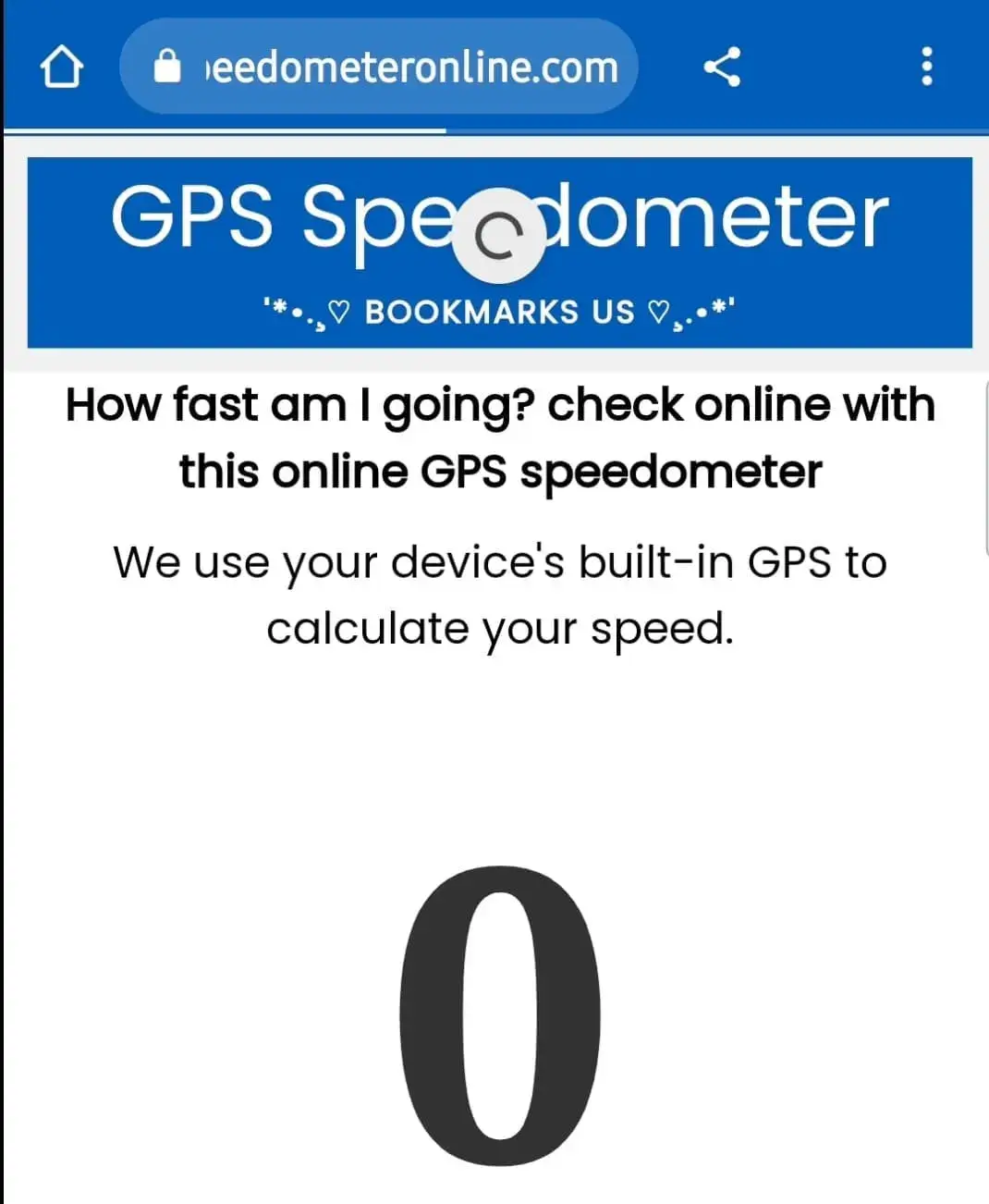
On a bus and curious how fast it’s going? Measure live bus speed with GPS in km/h or mph — free, right in your browser.
How to check bus speed online
- Open this page on your phone while riding the bus.
- Tap START and allow location access when asked.
- Watch your live bus speed, distance travelled and the trip’s maximum speed update in real time.
Worried the driver is going too fast? Set a Speed alert (for example 80 km/h) and the page will beep whenever the bus exceeds it.
Why measure a bus's speed?
Buses rarely let passengers see the speedometer, yet speed matters — for safety on highways, for estimating arrival time, or simply out of curiosity on a sleeper or intercity coach. Your phone's GPS gives you a true ground-speed reading from any seat. The trip stats also show average speed, which is great for estimating how long the remaining distance will take.
Estimate your arrival time
Divide remaining distance by your average speed. Example: 120 km left at a 60 km/h average = about 2 hours to go. The Avg Speed tile updates continuously through your journey.
Typical bus speeds
- City buses: 20–40 km/h (with stops)
- Intercity / highway coaches: 60–90 km/h
- Express / motorway routes: 90–110 km/h
How to enable website location on your phone?
First, go to your device settings and turn on Location, then follow these steps:
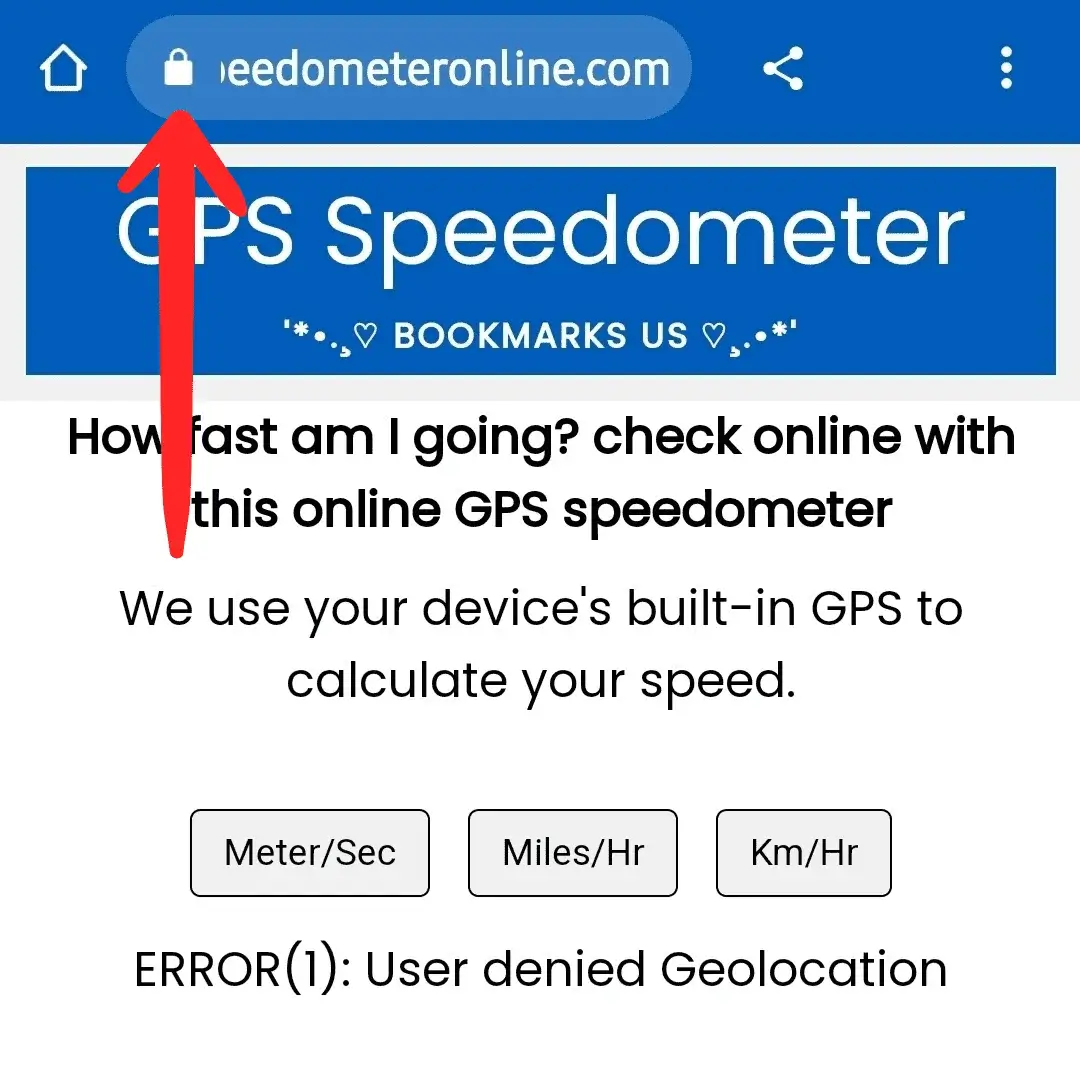
Step 1: Open SpeedometerOnline.com and tap the Lock icon at the top of your browser.
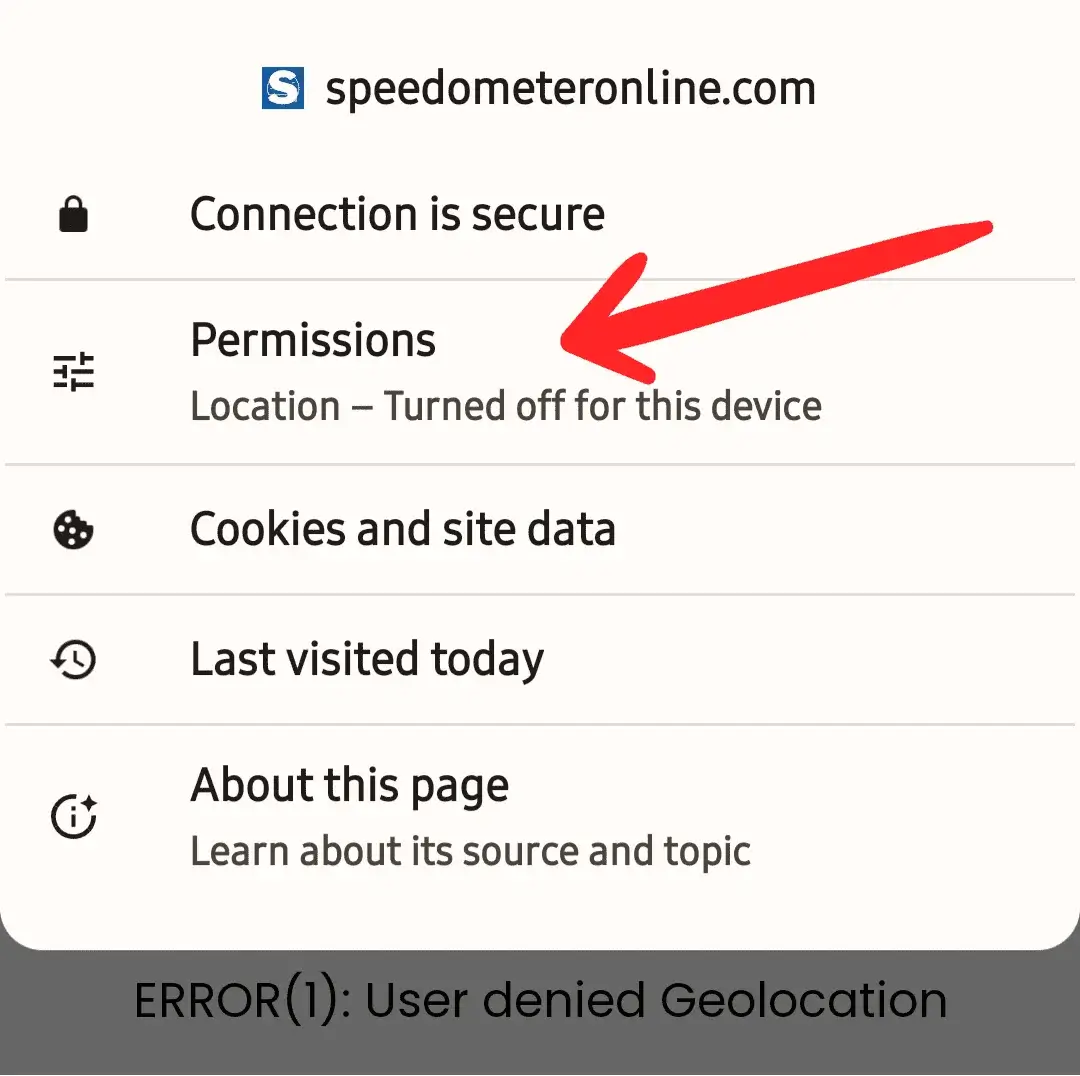
Step 2: Tap the Permissions option.
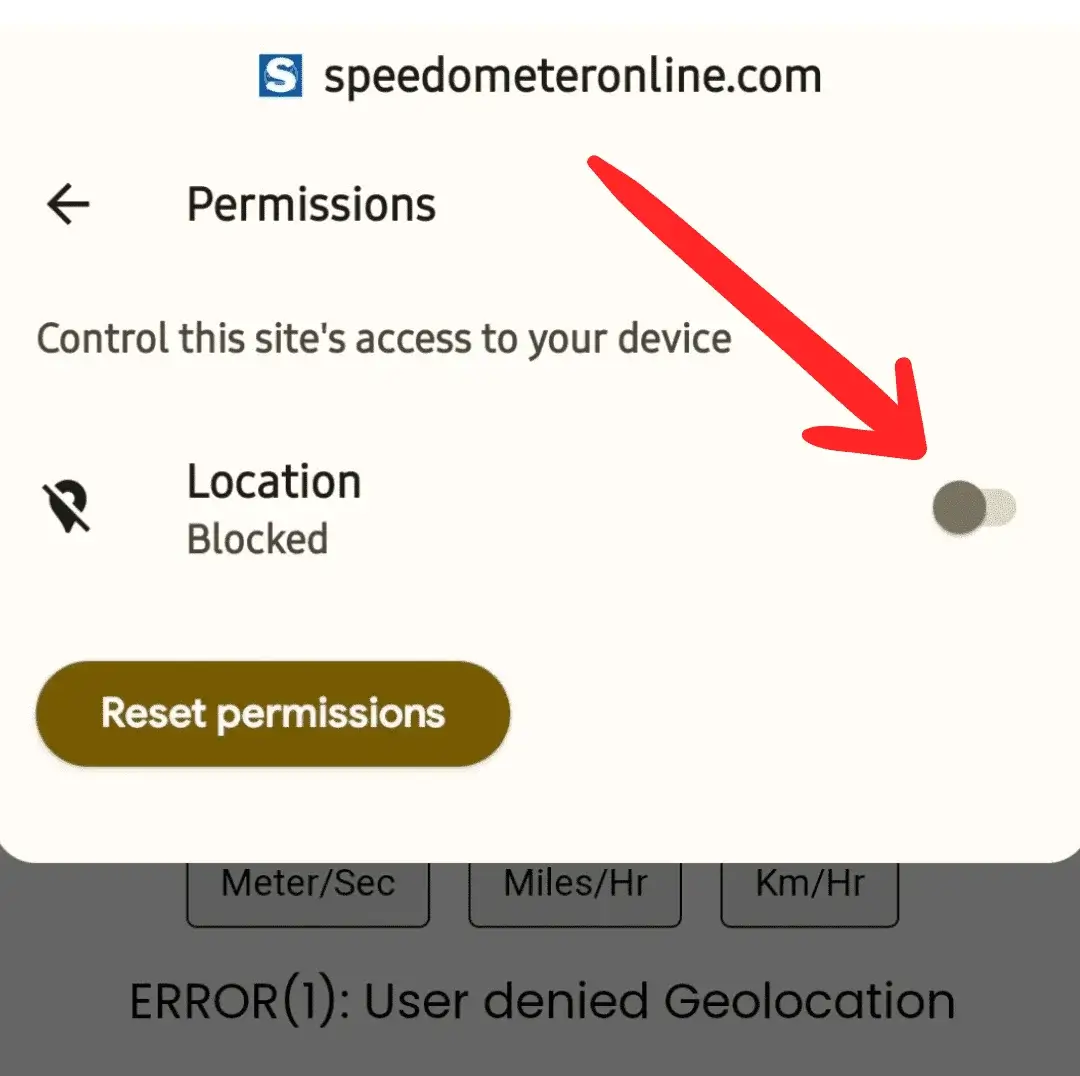
Step 3: Tap the switch to enable Location access.
Step 4: The switch should now look like this — turned on.
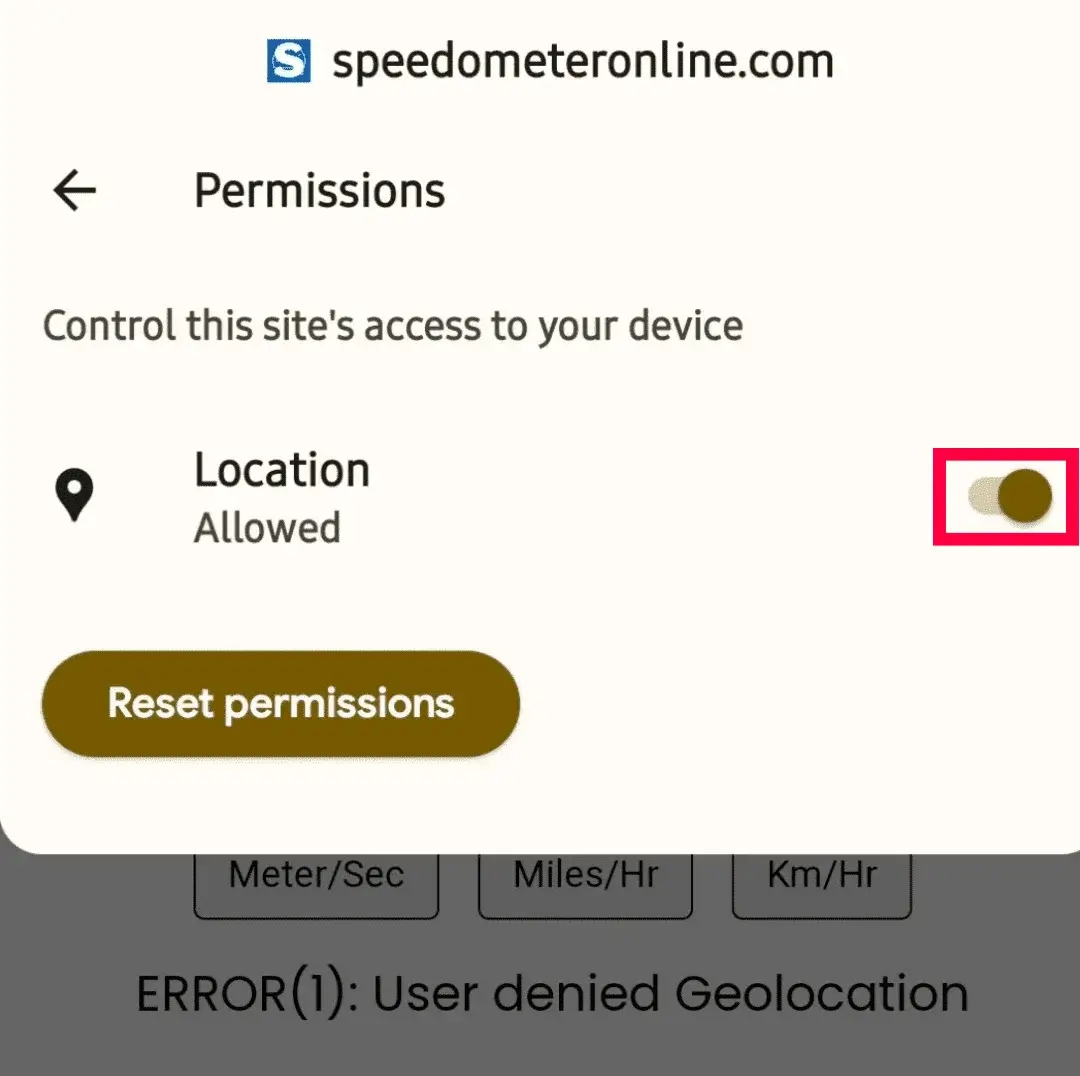
Step 5: Refresh the page — it will start showing your travelling speed.
More free tools on this site
🧪 Speedometer Test
Test your dashboard speedometer accuracy vs GPS.
🏠 GPS Speedometer
Live speed in km/h, mph, m/s & knots with trip stats.
⚡ How Fast Am I Going?
One-tap answer to your current speed.
🚆 Train Speed Checker
Measure your train’s speed from your seat.
🚗 Car Speedometer
Verify your dashboard’s true speed via GPS.
⛶ Full Screen Speedometer
Giant digits for dashboards & bike mounts.
🧭 Online Compass
Find your direction in degrees instantly.
⛰️ Elevation Finder
Your altitude above sea level in m & ft.
Frequently Asked Questions
Can I check bus speed on my phone without an app?
Yes — this tool runs entirely in your browser using GPS. No download or registration is needed and it's free.
Does it work on a moving bus with weak mobile network?
Yes. GPS does not need mobile data once the page is loaded — speed is calculated from satellites, not the internet.
Can I get an alert if the bus goes too fast?
Yes. Enable the Speed alert, set a limit like 80 km/h, and your phone will beep whenever the bus exceeds it.
How do I estimate my arrival time?
Use the Avg Speed tile: remaining distance ÷ average speed = hours remaining. For example 90 km at 60 km/h average is 1.5 hours.
Is my location shared with anyone?
No. GPS data is processed only on your device and never stored or sent to any server.