Check your train’s live speed online — right from your seat
🔒 Your GPS data is processed only on your device. Nothing is stored or sent to any server.
Online Train Speedometer — Check Your Train Speed Live
Sitting in a train? See exactly how fast it’s running right now — in km/h or mph. Works for express, metro and local trains. Free, no app.
How to check train speed online
- Open this page on your phone while seated in the train (a window seat gives the best GPS signal).
- Tap START and allow location access.
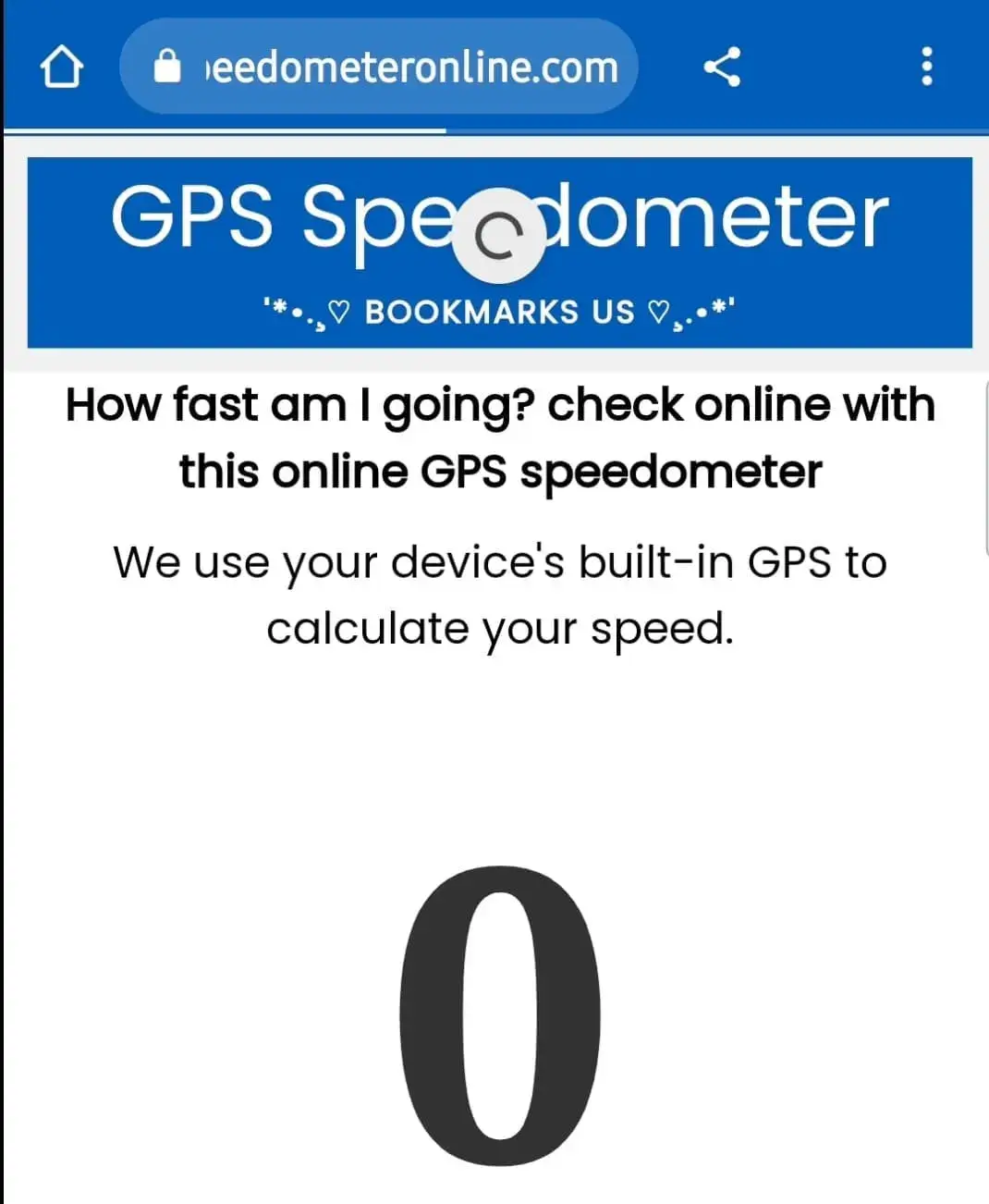
- Your live train speed appears instantly, along with max speed, average speed and distance covered.
Tip: turn on the Speed alert to get a beep when your train crosses a speed you set — for example 130 km/h.
Why check your train's speed?
Train passengers love knowing how fast they're travelling — whether it's a Vande Bharat Express touching 160 km/h, a Rajdhani cruising at 130 km/h, a metro between stations, or a suburban local. Trains don't show passengers a speedometer, but your phone's GPS can measure it accurately from your seat. This tool also records your maximum speed for the journey, so you can capture the fastest moment of your trip and share it with friends.
Typical train speeds for comparison
- Suburban / local trains: 60–80 km/h
- Express and superfast trains: 100–130 km/h
- Semi-high-speed (e.g. Vande Bharat): 130–160 km/h
- High-speed rail (Shinkansen, TGV): 250–320 km/h
Does GPS work inside a train?
Usually yes — modern trains have large windows and GPS signals pass through. Sit near a window for the strongest fix. Speed will briefly read 0 inside tunnels or covered stations; it recovers automatically once the sky is visible again. Watch the GPS Accuracy tile: under 15 m means your reading is reliable.
How to enable website location on your phone?
First, go to your device settings and turn on Location, then follow these steps:
Step 1: Open SpeedometerOnline.com and tap the Lock icon at the top of your browser.
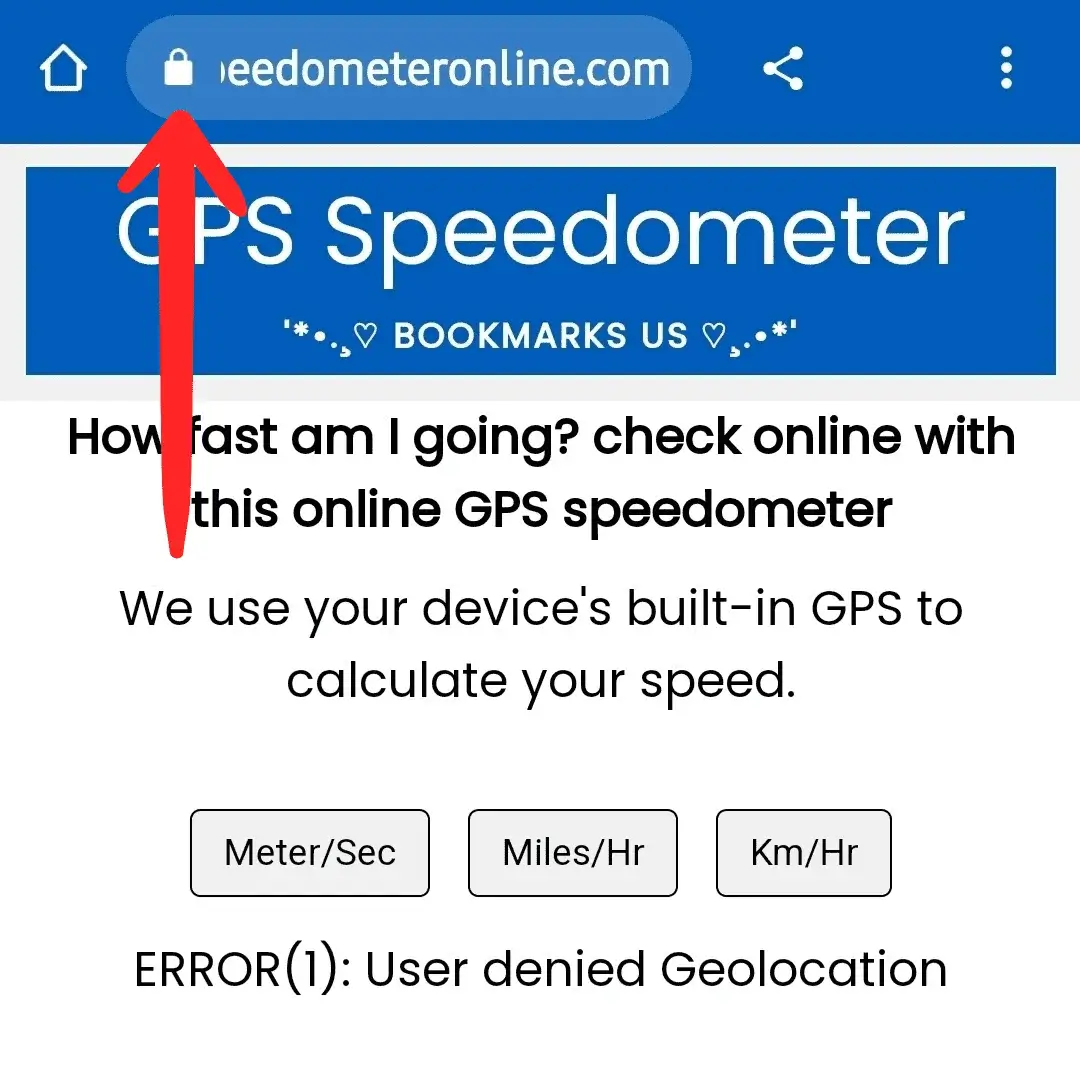
Step 2: Tap the Permissions option.
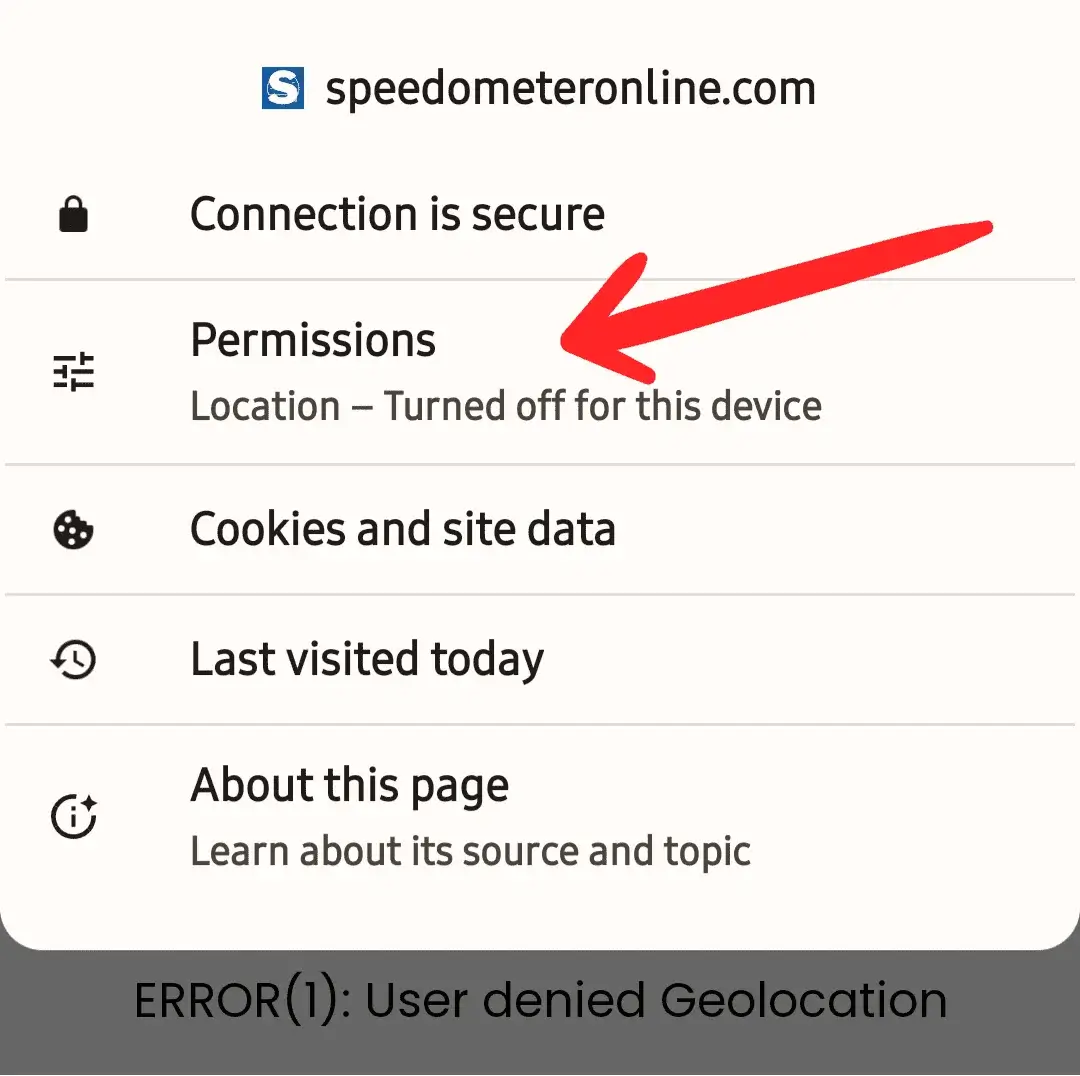
Step 3: Tap the switch to enable Location access.
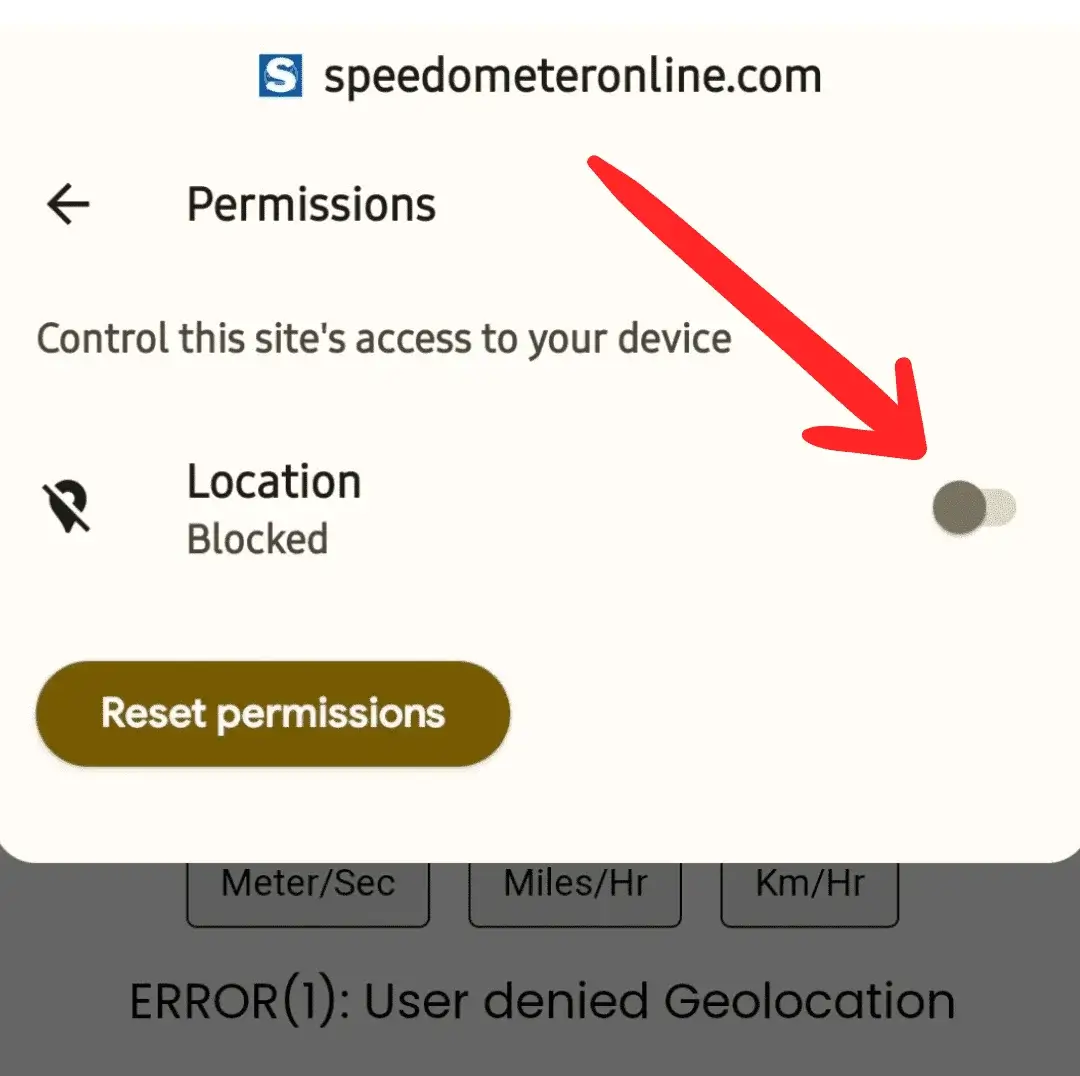
Step 4: The switch should now look like this — turned on.
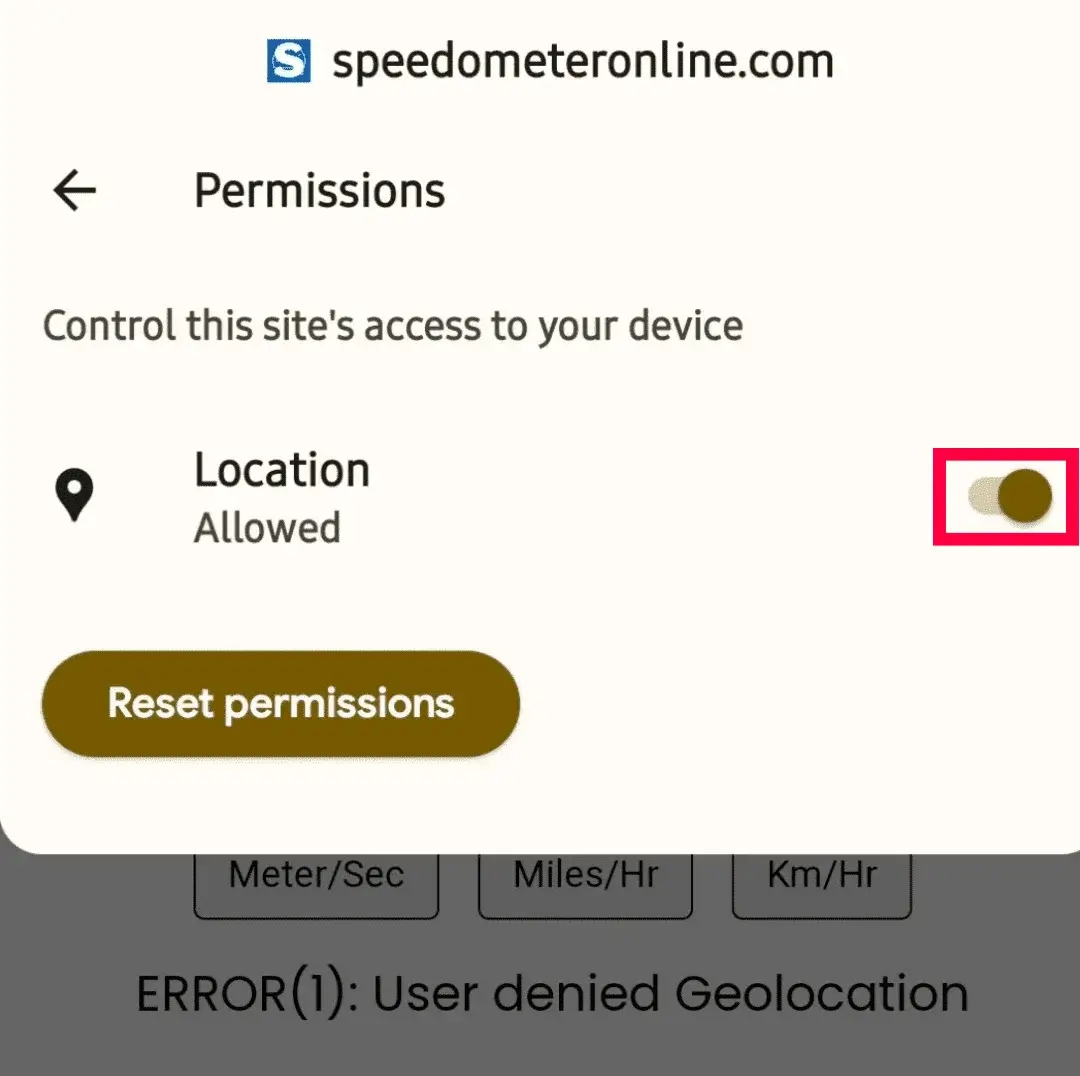
Step 5: Refresh the page — it will start showing your travelling speed.
More free tools on this site
🧪 Speedometer Test
Test your dashboard speedometer accuracy vs GPS.
🏠 GPS Speedometer
Live speed in km/h, mph, m/s & knots with trip stats.
⚡ How Fast Am I Going?
One-tap answer to your current speed.
🚌 Bus Speed Checker
Check bus speed and estimate arrival time.
🚗 Car Speedometer
Verify your dashboard’s true speed via GPS.
⛶ Full Screen Speedometer
Giant digits for dashboards & bike mounts.
🧭 Online Compass
Find your direction in degrees instantly.
⛰️ Elevation Finder
Your altitude above sea level in m & ft.
Frequently Asked Questions
Can I check my train's speed without an app?
Yes. This page uses your phone's GPS directly in the browser — no download, no signup, completely free.
Why does the speed show 0 in a tunnel?
GPS needs a view of the sky. Inside tunnels or fully covered stations the signal drops and speed reads 0. It resumes automatically outside.
How accurate is GPS train speed?
Typically within 1–2 km/h with a good signal. Sit near a window and check the GPS Accuracy tile — under 15 meters means a reliable reading.
Does it work on metro trains?
Yes on elevated and surface sections. Underground metro sections have no GPS signal, so speed cannot be measured there.
Will it drain my battery?
GPS uses some battery, similar to a maps app. For long journeys, plug into the train's charging socket.