Free online speedometer test — check your true GPS speed
🔒 Your GPS data is processed only on your device. Nothing is stored or sent to any server.
Speedometer Test — Check Your True Speed Online
Test your vehicle's speedometer accuracy with GPS. Compare your dashboard reading against real ground speed — free, in your browser.
How to run a speedometer test
- Tap START above and allow location access.
- Drive (or ride) at a steady speed — for example hold your dashboard needle exactly at 60 km/h or 40 mph.
- Compare the GPS reading on this page with your dashboard. The GPS figure is your true ground speed.
- Repeat at 2–3 different speeds (city, highway) for a complete speedometer accuracy test.
What is a speedometer test?
A speedometer test compares the speed shown on your vehicle's dashboard against your real, GPS-measured ground speed. Because regulations require vehicle speedometers to never read low, manufacturers calibrate them 3–10% high — so at an indicated 100 km/h your true speed is often only 92–97 km/h. This free online speed test reveals the exact difference for your vehicle, with no app or OBD device needed.
Reading your test result
- GPS reads 3–8% lower than the dashboard — normal factory calibration; your speedometer is healthy.
- GPS reads higher than the dashboard — your speedometer under-reports; you may be speeding without knowing. Common after fitting larger tires. Get it checked.
- Difference over ~10% — possible fault, wrong tire size, or worn tires; worth a mechanic visit.
Why speedometers become inaccurate
Vehicle speedometers measure wheel rotation, so anything that changes wheel circumference changes the reading: new tire sizes, tire wear, low pressure, or lift kits. GPS is unaffected by all of these — it measures how your position actually changes per second, which is why it's the standard reference for a speed test.
Speedometer test for any vehicle
This test works for cars, motorcycles, buses, trucks, trains and bicycles. For boats, switch the unit to knots. All you need is a phone with GPS and a clear view of the sky.
Tips for an accurate test
- Test on a straight, flat road — curves and slopes add small errors.
- Hold the speed steady for at least 5–10 seconds before comparing.
- Check the GPS Accuracy tile: under 10 m means the reading is highly reliable.
- Do several runs at different speeds and average the difference.
How to enable website location on your phone?
First, go to your device settings and turn on Location, then follow these steps:
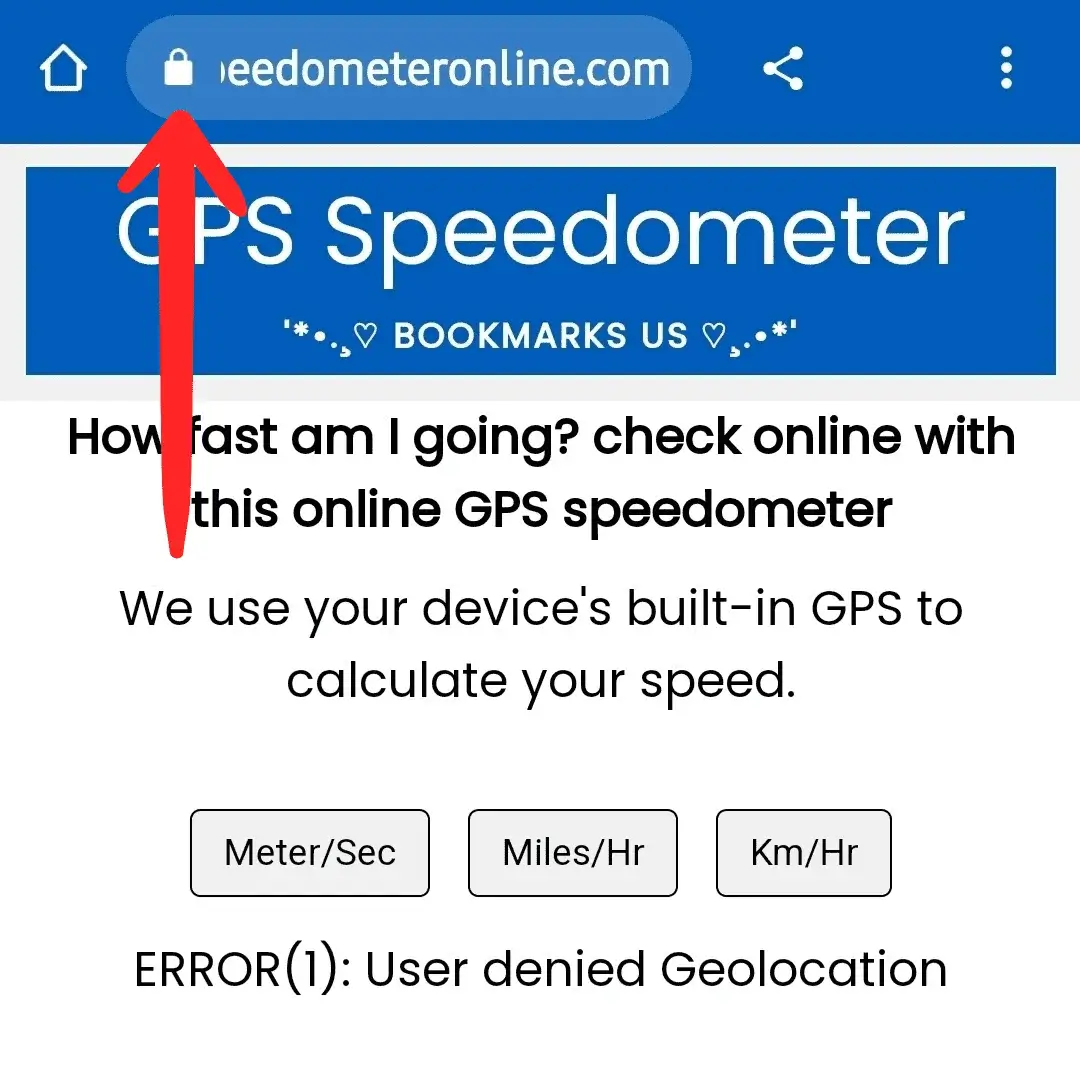
Step 1: Open SpeedometerOnline.com and tap the Lock icon at the top of your browser.
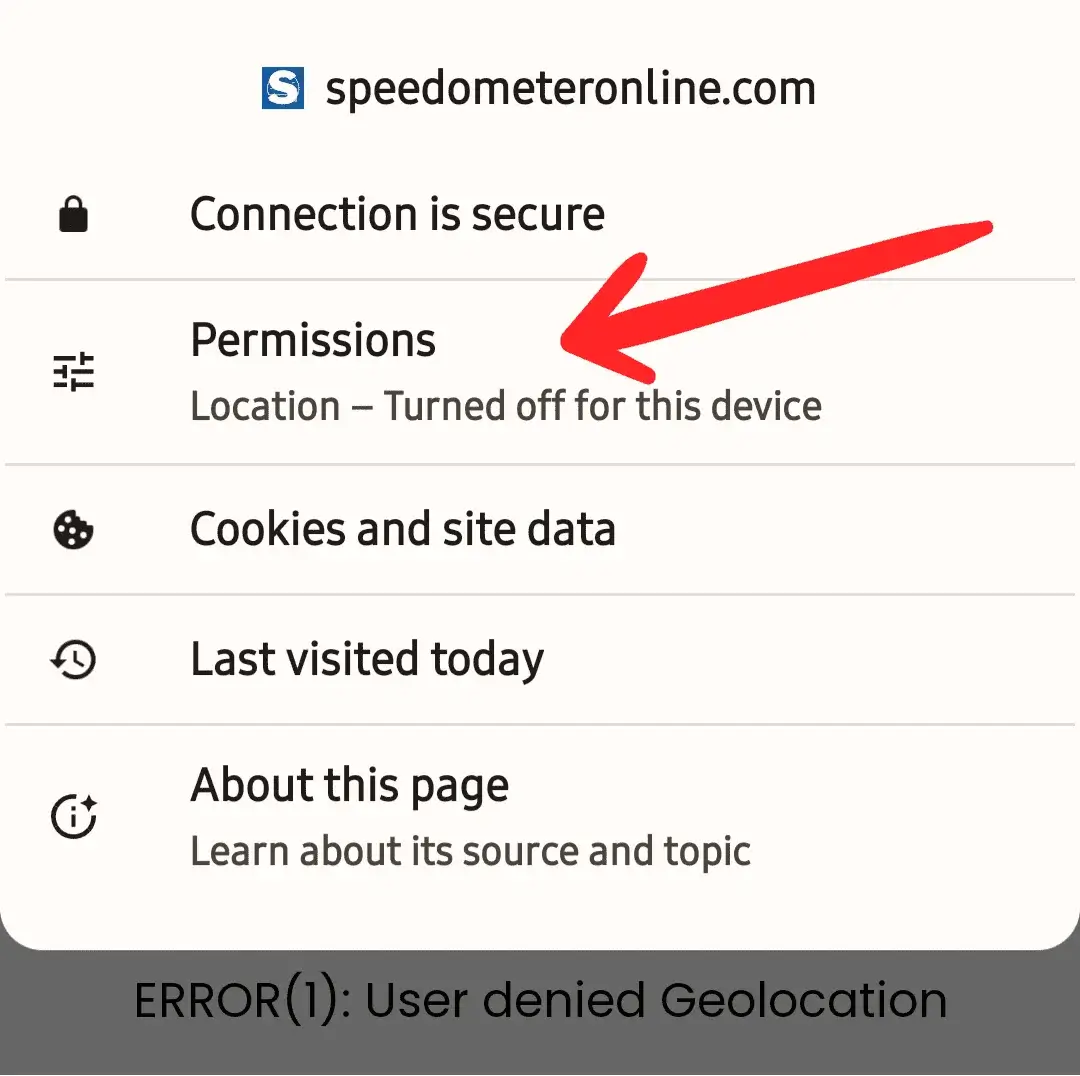
Step 2: Tap the Permissions option.
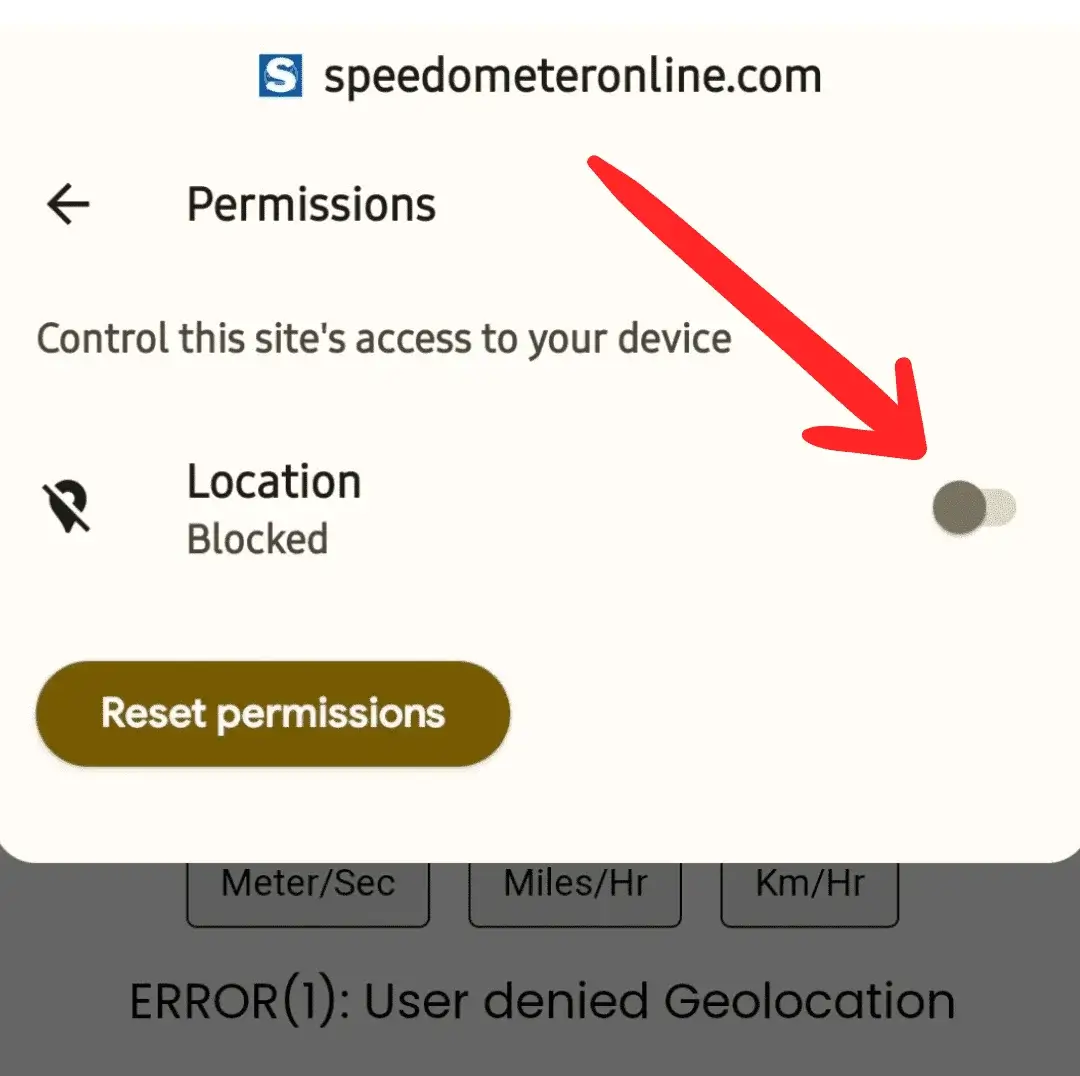
Step 3: Tap the switch to enable Location access.
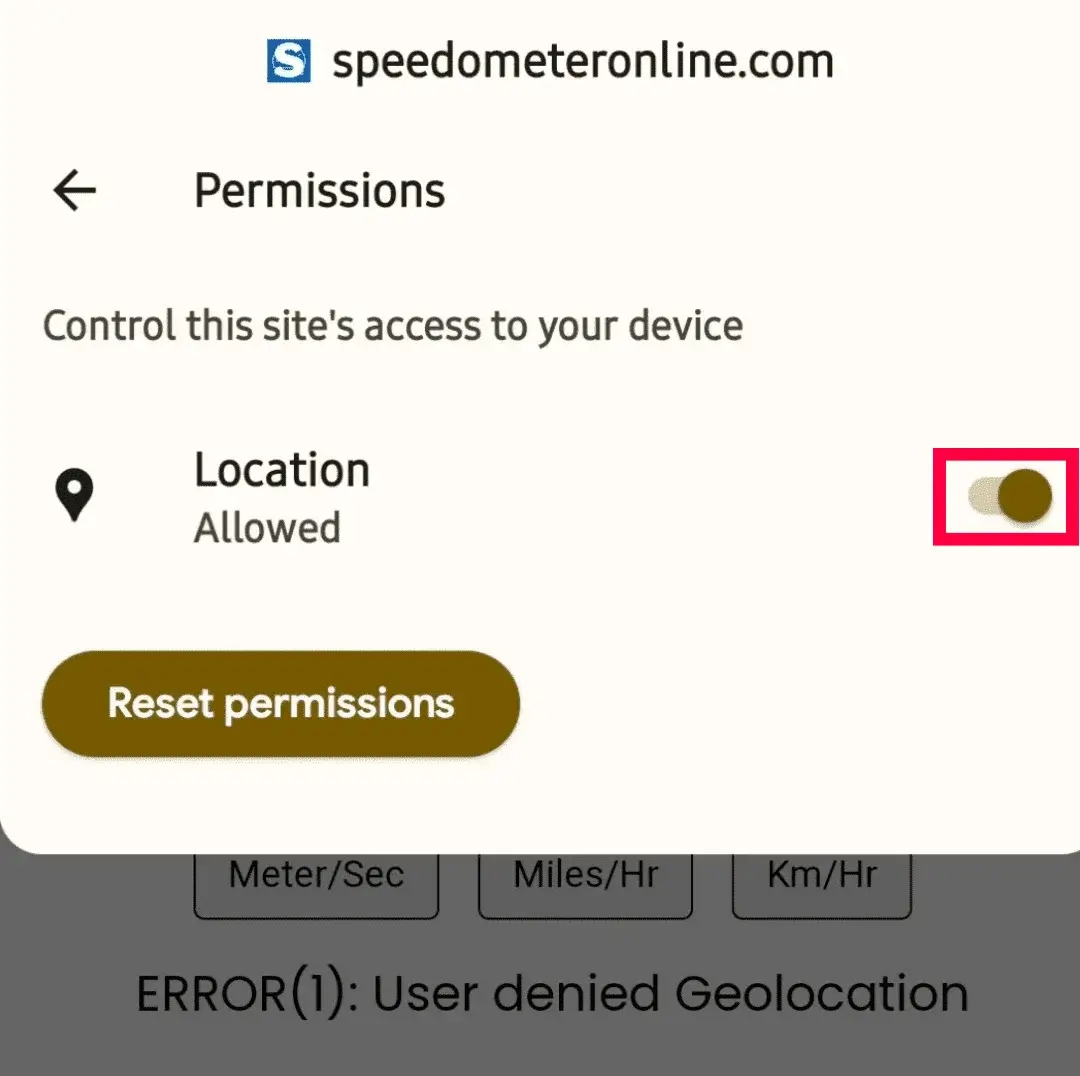
Step 4: The switch should now look like this — turned on.
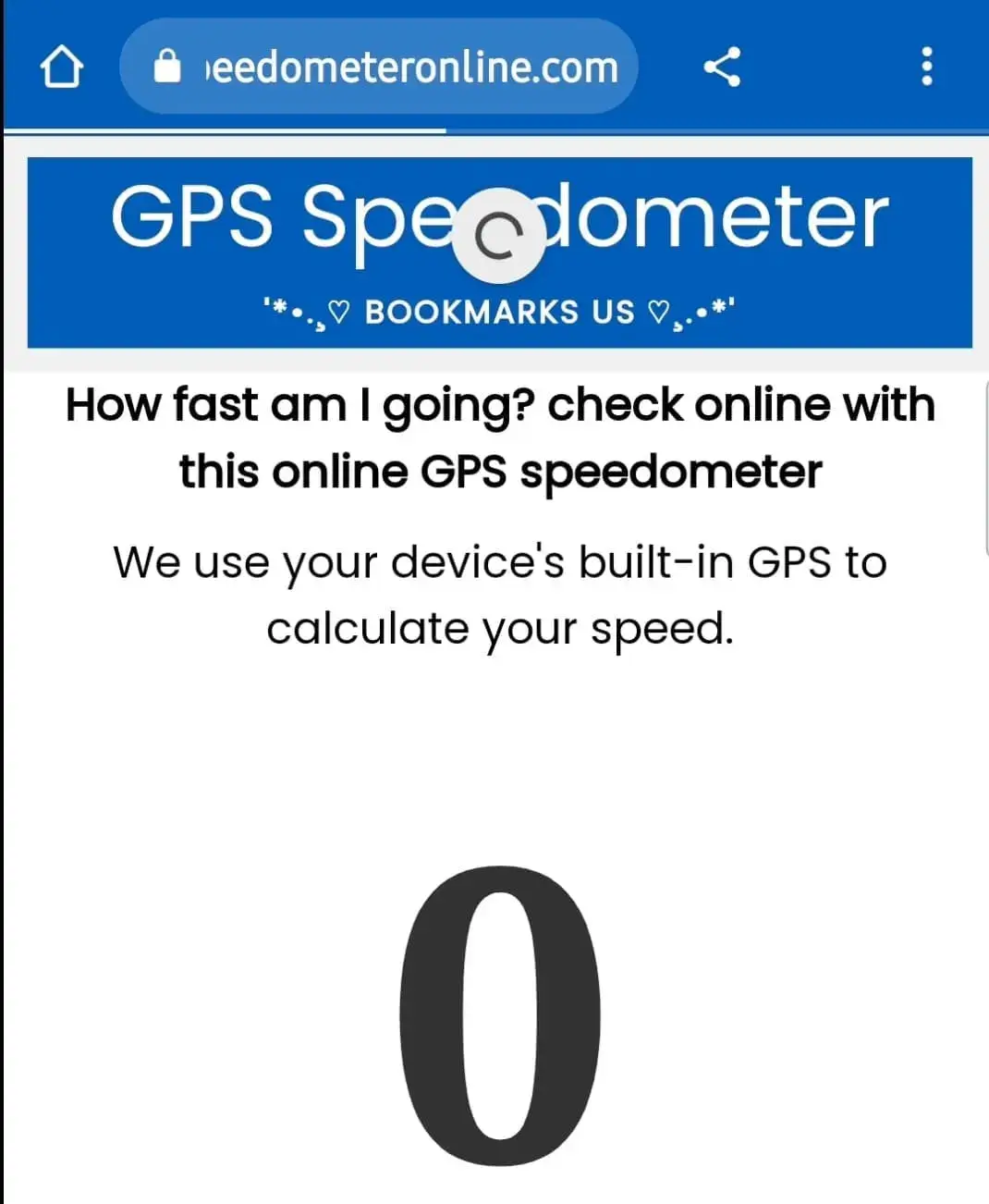
Step 5: Refresh the page — it will start showing your travelling speed.
More free tools on this site
🏠 GPS Speedometer
Live speed in km/h, mph, m/s & knots with trip stats.
⚡ How Fast Am I Going?
One-tap answer to your current speed.
🚆 Train Speed Checker
Measure your train’s speed from your seat.
🚌 Bus Speed Checker
Check bus speed and estimate arrival time.
⛶ Full Screen Speedometer
Giant digits for dashboards & bike mounts.
🧭 Online Compass
Find your direction in degrees instantly.
⛰️ Elevation Finder
Your altitude above sea level in m & ft.
Frequently Asked Questions
How do I test if my speedometer is accurate?
Drive at a steady indicated speed (e.g. 60 km/h), compare it with the GPS speed shown on this page. A GPS reading 3–8% lower is normal factory calibration.
Why does GPS show a lower speed than my car?
Regulations require car speedometers to never read low, so they are calibrated 3–10% high. GPS shows your true ground speed.
Is this speedometer test free?
Yes — completely free in your browser, with no app, no signup and no limit on tests.
Can I test my speedometer after changing tire size?
Yes — that's one of the most common reasons for the test. Larger tires make the dashboard under-read; this GPS test shows your true speed.
How accurate is the GPS speed used in this test?
Within about 1–2 km/h under open sky. Check the GPS Accuracy tile — below 10 m means excellent precision.