Full screen GPS speedometer — big digits, easy reading
🔒 Your GPS data is processed only on your device. Nothing is stored or sent to any server.
Full Screen Speedometer — Big Digital Speed Display
A giant, easy-to-read digital speedometer that fills your whole screen. Ideal for the dashboard, bike mount or night driving with HUD mode.
How to use the full screen speedometer
- Tap START and allow location access.
- Tap the ⛶ Go Full Screen button below the speedometer — the display fills your entire screen.
- For night driving, use HUD Mode instead: mirrored digits reflect in your windshield.
- The screen stays awake automatically while measuring.
Why a full screen speedometer?
Big digits are readable at a glance — essential when the phone is mounted on a bike handlebar, sitting in a car dock, or across the room. This page defaults to the digital display with numbers that scale to your screen size, and one tap takes it truly full screen with no browser bars. Combined with the built-in screen wake lock, the display never sleeps mid-journey.
Best uses
- Bike handlebar mount — glanceable speed while cycling.
- Car dashboard dock — a large secondary speedometer.
- HUD night mode — phone flat on the dash, digits mirrored into the windshield.
- Motorcycle tank bag — big digits readable through the clear pocket.
How to enable website location on your phone?
First, go to your device settings and turn on Location, then follow these steps:
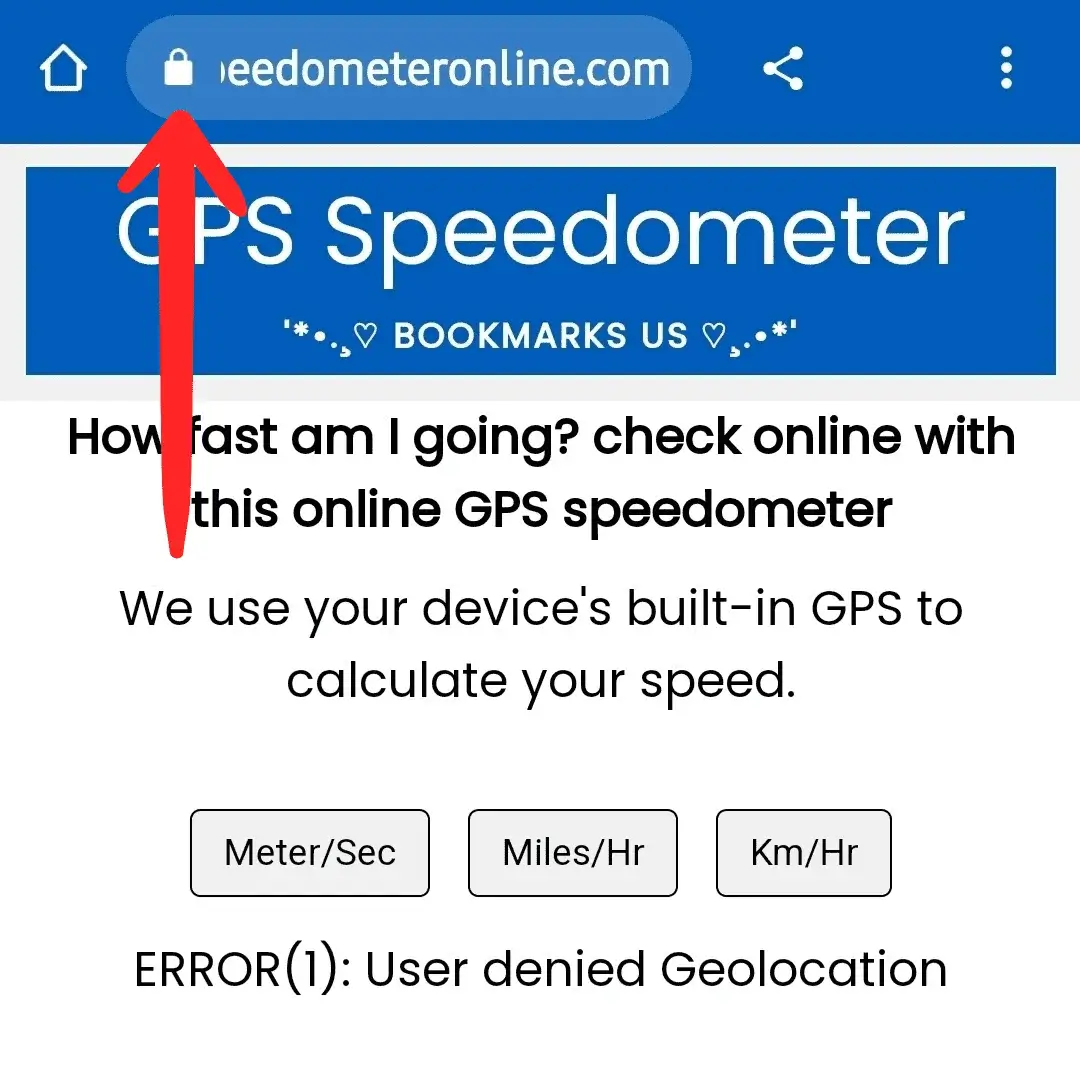
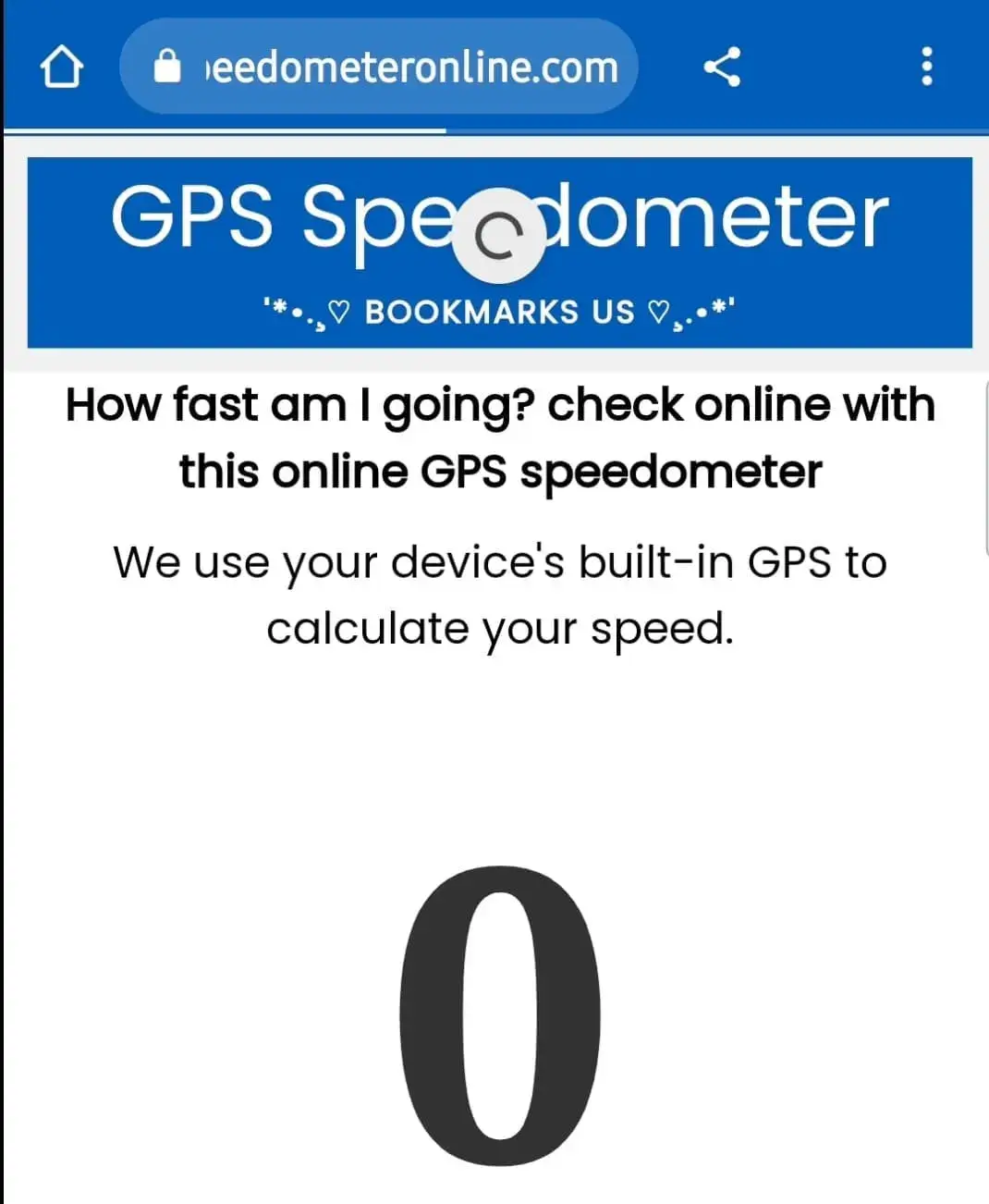
Step 1: Open SpeedometerOnline.com and tap the Lock icon at the top of your browser.
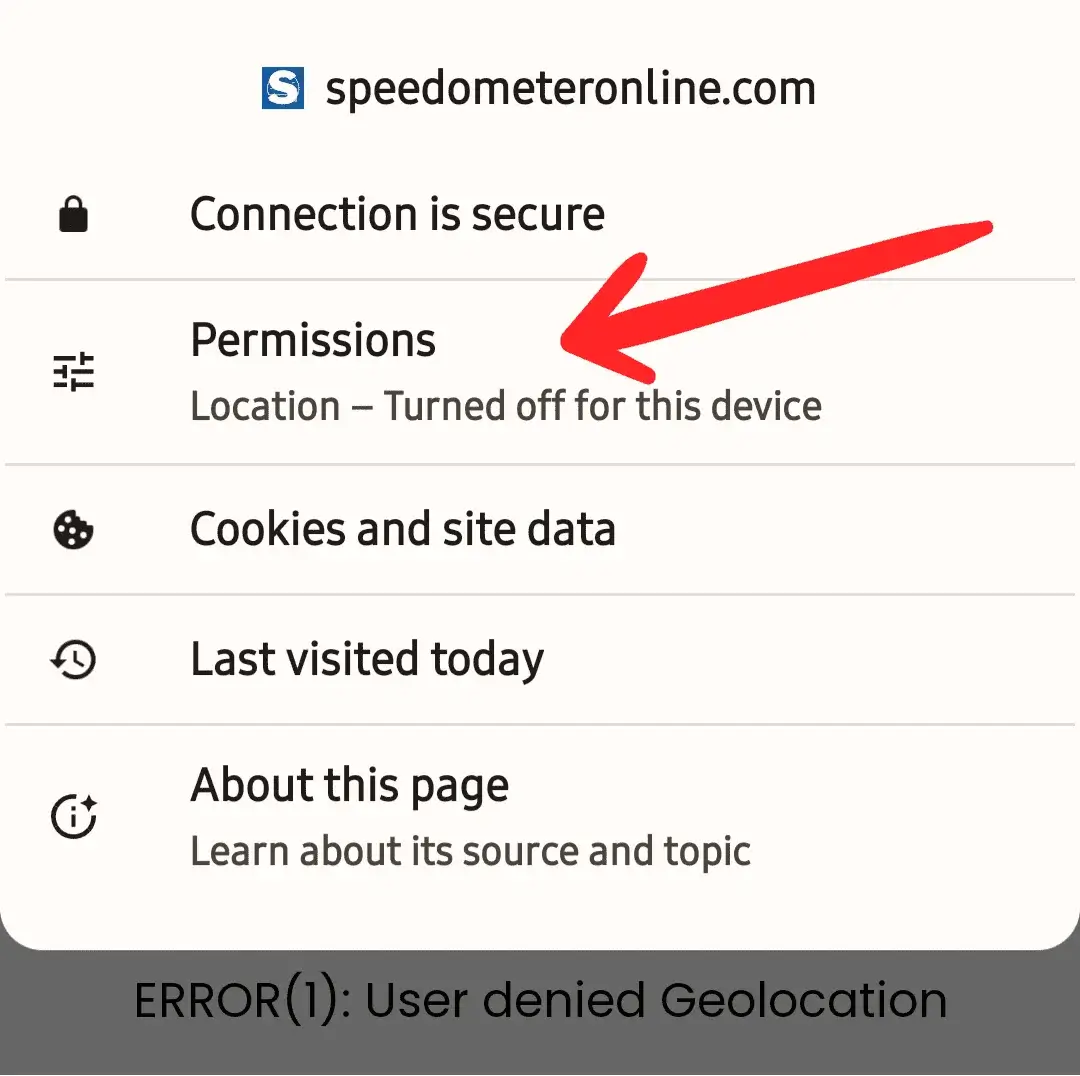
Step 2: Tap the Permissions option.
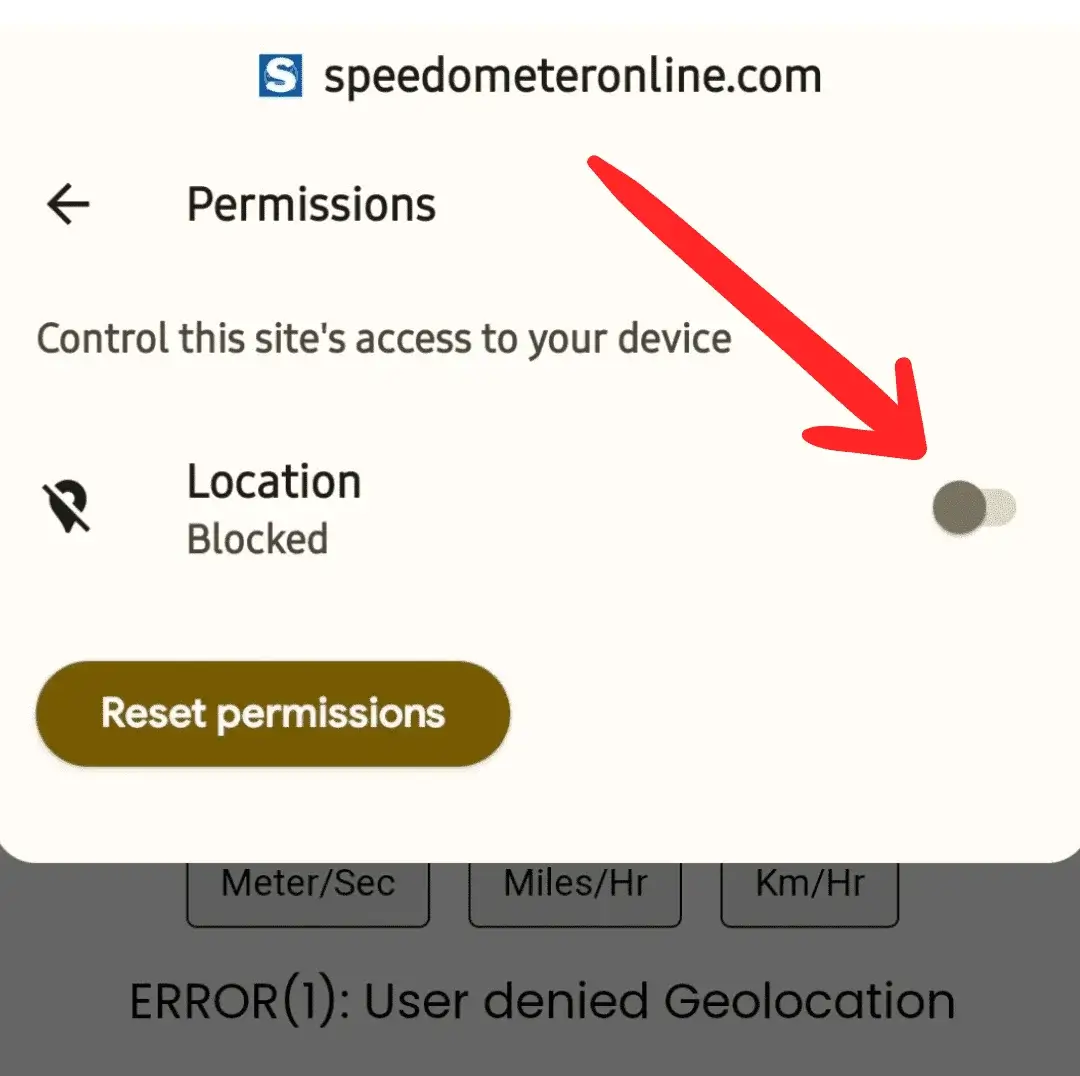
Step 3: Tap the switch to enable Location access.
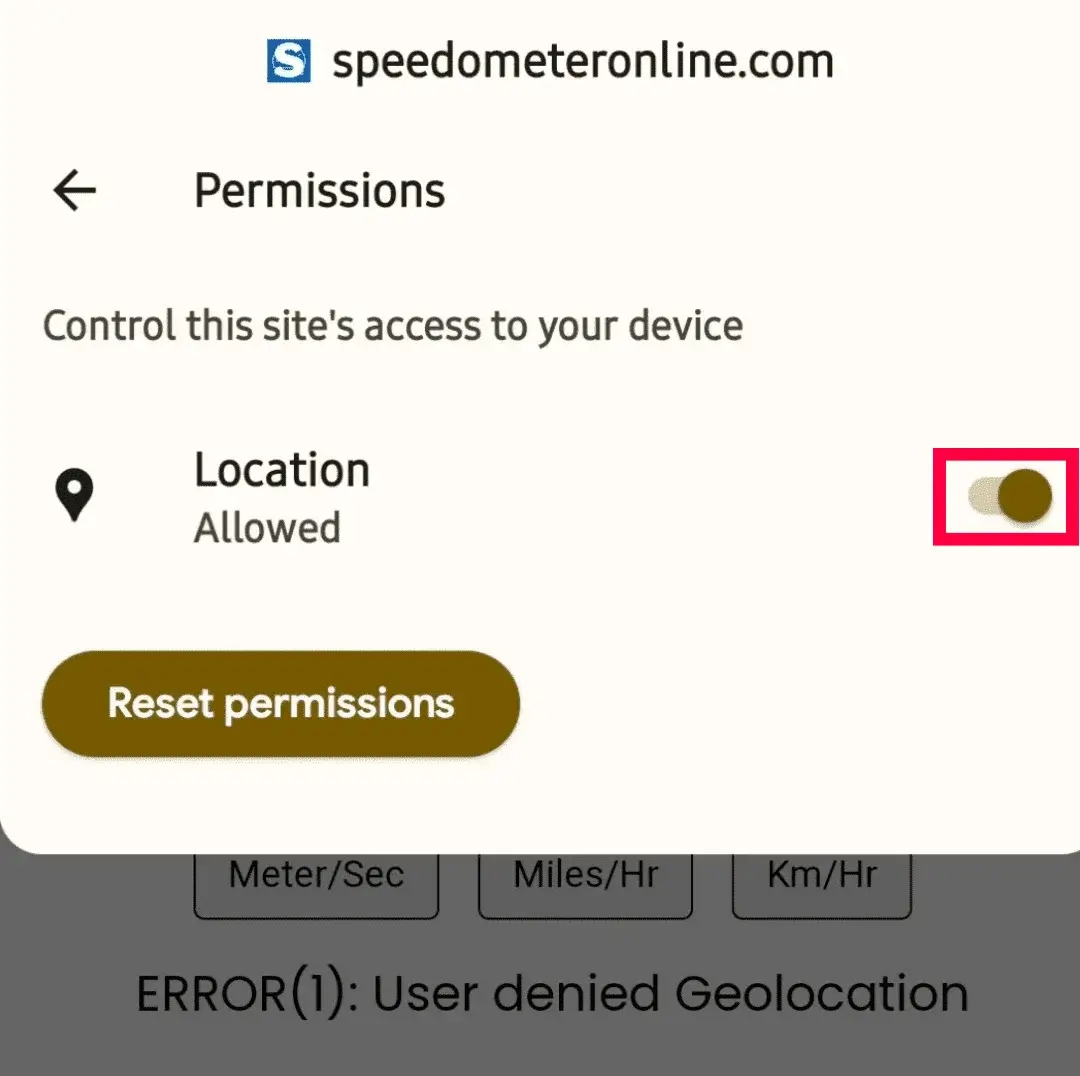
Step 4: The switch should now look like this — turned on.
Step 5: Refresh the page — it will start showing your travelling speed.
More free tools on this site
🧪 Speedometer Test
Test your dashboard speedometer accuracy vs GPS.
🏠 GPS Speedometer
Live speed in km/h, mph, m/s & knots with trip stats.
⚡ How Fast Am I Going?
One-tap answer to your current speed.
🚆 Train Speed Checker
Measure your train’s speed from your seat.
🚌 Bus Speed Checker
Check bus speed and estimate arrival time.
🚗 Car Speedometer
Verify your dashboard’s true speed via GPS.
🧭 Online Compass
Find your direction in degrees instantly.
⛰️ Elevation Finder
Your altitude above sea level in m & ft.
Frequently Asked Questions
How do I make the speedometer full screen?
Tap the ⛶ Full Screen chip at the top. To exit, press Back or the Esc key.
Will my phone screen turn off while measuring?
No — the page requests a screen wake lock while the speedometer is running, so the display stays on.
Can I use it as a bike speedometer?
Yes — mount your phone on the handlebar, start the tool, go full screen, and read your speed at a glance.
Does full screen use more battery?
Screen-on time is the main battery cost, same as any navigation app. Lower your brightness or plug in for long rides.